Rate limits on raw endpoints
- Tier: Free, Premium, Ultimate
- Offering: GitLab Self-Managed
Prerequisites:
- Administrator access.
Two rate limit settings control access to raw endpoints:
- Raw blob request rate limit per minute: Limits requests for each project and file path. Defaults to
300requests per minute. - Raw blob request rate limit per minute (unauthenticated): Limits unauthenticated requests for each project, across all file paths. Defaults to
800requests per minute.
To configure these settings:
- In the upper-right corner, select Admin.
- Select Settings > Network.
- Expand Performance optimization.
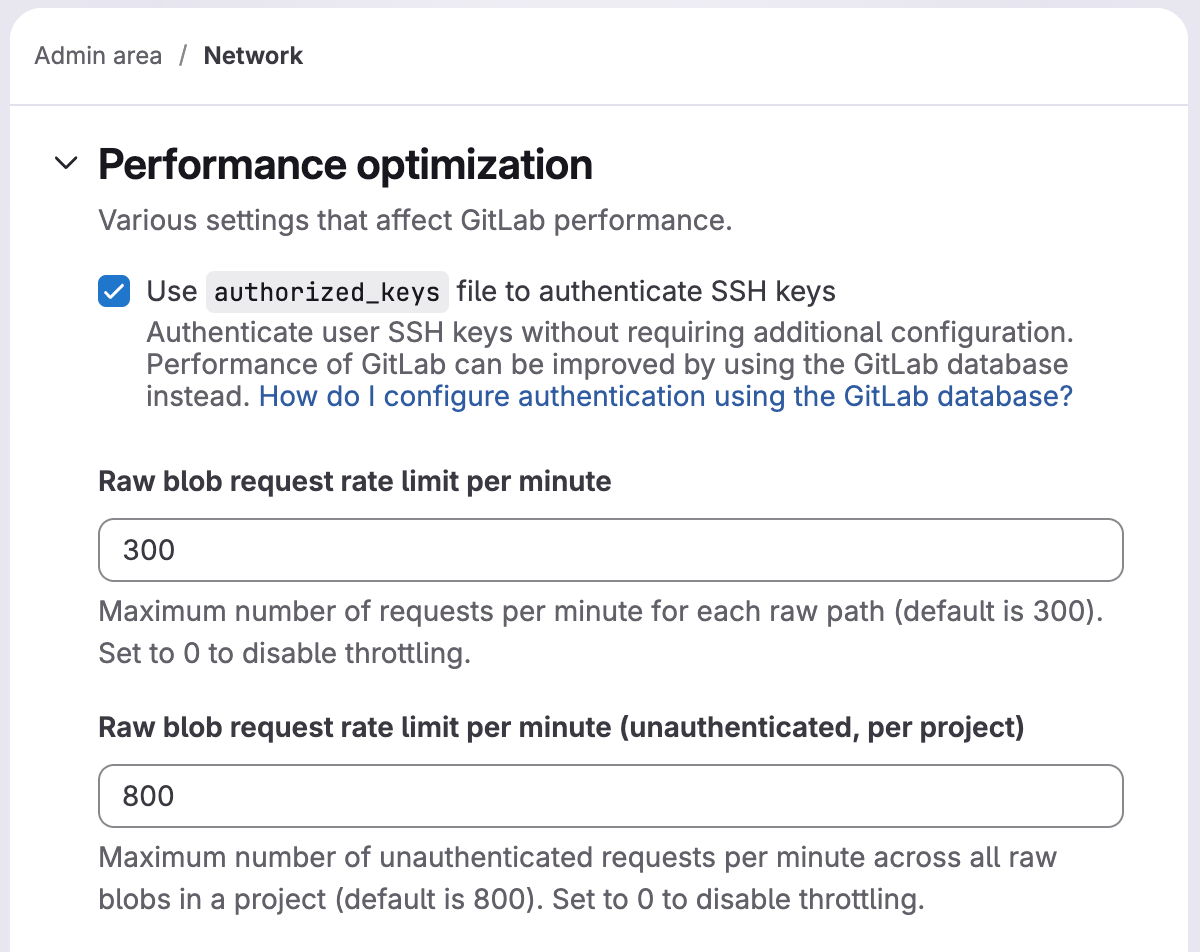
For example, if the path-based limit is 300, requests over 300 a minute to
https://gitlab.com/gitlab-org/gitlab-foss/raw/master/app/controllers/application_controller.rb
are blocked. Access to the raw file is released after 1 minute.
The path-based limit is:
- Applied independently for each project and file path.
- Not applied by IP address or user.
- Active by default. To disable, set the option to
0.
The unauthenticated project-wide limit is:
- Applied for each project, across all file paths, for unauthenticated requests only.
- Not applied to authenticated users.
- Not applied per IP address.
- Active by default. To disable, set the option to
0.
Requests over the rate limit are logged into auth.log.